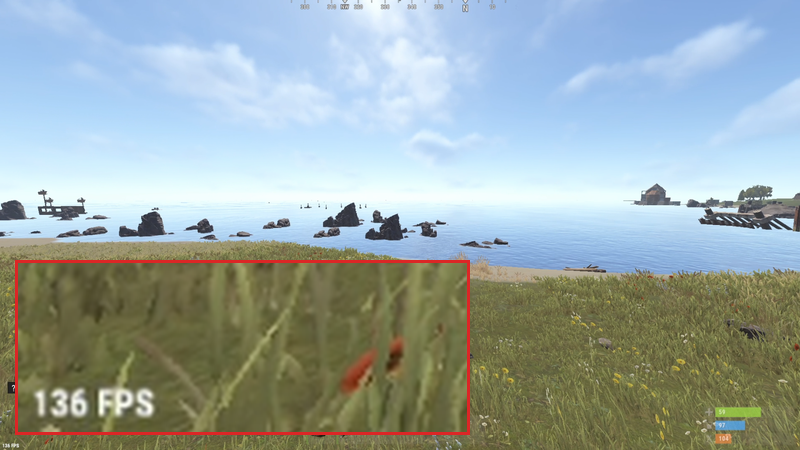
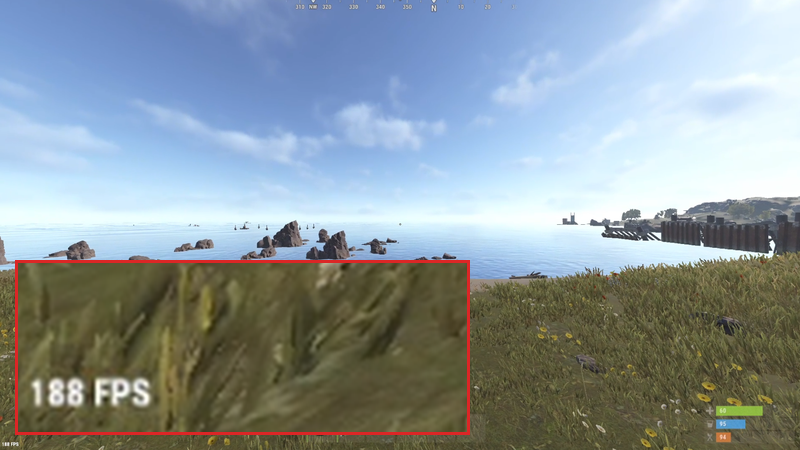
Zero mouse input latency. The most comprehensive Windows optimization service. We turn your Windows into a super lightweight, high-performance gaming OS.
See Pricing Want to see the difference?Achieve zero mouse input latency. Raw input pipeline tweaks, kernel-level driver priority at realtime, hidden cursor interference removal, polling rate optimization.
Deep scheduler tweaks, timer optimization, multimedia priority tuning, interrupt latency reduction.
GPU scheduler tweaks, rendering pipeline optimization, frame queue tuning, composition latency reduction.
Network adapter tweaks, packet delivery optimization, buffer tuning, connection latency reduction.
Maximum performance power plan, clock speed optimization, idle state tweaks, core scheduling tuning.
70+ unnecessary services removed, 45+ background tasks eliminated, telemetry blocked, AI features stripped.
Choose your tier and complete payment.
We connect to your PC via AnyDesk. You watch everything we do.
Your PC is optimized. Reboot and feel the difference.
We never disable Windows Defender, Windows Security, or any antivirus software — even though turning them off could squeeze out extra performance. Your security is more important to us than a few extra frames. Every tweak we apply works alongside your existing protection, not against it.
Before we touch a single setting, we create a full System Restore point on your machine. If you ever want to undo everything, just restore to that point and your PC goes back to exactly how it was. One click, fully reversed.
The entire session happens live on your screen via AnyDesk. You see every command we run, every setting we change, every tool we open. Nothing is hidden, nothing runs in the background. If something looks off to you, tell us to stop — we will, immediately.
We don't install keyloggers, token grabbers, RATs, or anything malicious. The only tools we use are legitimate, publicly available utilities like NVCleanInstall for driver setup. We don't collect, store, or transmit any of your personal data. Period.
If you have any doubts at all, we strongly encourage you to create your own System Restore point before the session begins — on top of the one we create. That way you have two independent recovery paths. Your peace of mind matters more than anything.
Yes. We create a system restore point before any changes and every tweak is reversible. We also never tamper with Windows Defender or Windows Security — your antivirus stays on throughout the entire process.
No longer than ~10 minutes for MAX optimization.
Just install AnyDesk and give us the connection code. We handle everything.
Yes, all tweaks are compatible with Windows 10 and 11.
Yes. System Restore will undo everything back to the pre-optimization state.
You can expect at least a 10% increase in FPS, with the highest we've seen being 35%. You'll also notice significantly reduced input lag and smoother frametimes. Results scale with how bloated and unoptimized the system was before.